
Dusk 是 The Legend of Zelda: Twilight Princess 非官方 PC 移植版的稱呼。它並不是 Nintendo 官方推出的 Windows 版,而是玩家透過逆向工程、重編譯讓遊戲能在 PC 上執行。目前已經可正常的玩到通關。雖然還是在特定狀況下會有一些些的破圖。但整體來說完成度相當的高。而且還有 4K/1080P 的高清材質包可加入。讓遊戲的畫面更加漂亮。而這篇文章會教你如何把 Dusk 裝進 Batocera 的系統上。
文章內容
一:首先請裝上 N64RecompLauncher 如果你尚未裝上,請參考我的這篇文章先把它裝上
二:在 N64RecompLauncher 的 games.json 加上 The Legend of Zelda: Twilight Princess PC port 的遊戲資料
      {
      "name": "Dusk Twilight Princess",
      "repository": "TwilitRealm/dusk",
      "folderName": "dusk",
      "installPath": null,
      "gameIconUrl": "https://raw.githubusercontent.com/TwilitRealm/dusk/refs/heads/main/res/icon.png",
      "preferredVersion": null,
      "skippedUpdateVersion": null
    },
長的會像這樣
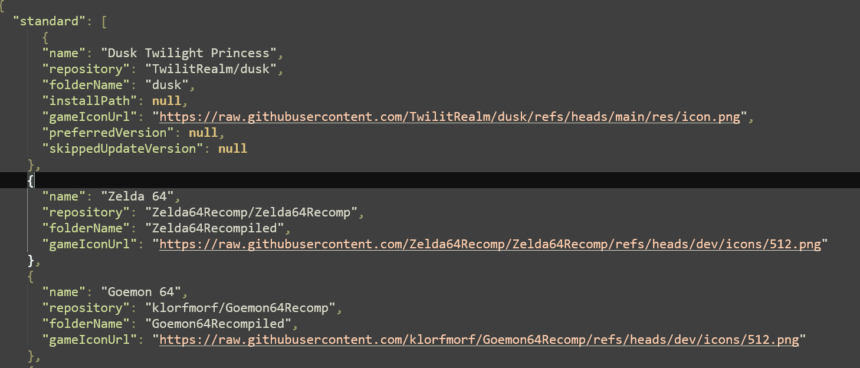
三:打開 N64RecompLauncher 點選 The Legend of Zelda: Twilight Princess 的安裝 icon 。裝完關掉 N64RecompLauncher
四:下載 config.json 並放進 /userdata/system/.local/share/TwilitRealm/Dusk/ 裡。backend.isoPath 記得換成你放遊戲的位置
{
    "audio.masterVolume": 100,
    "backend.isoPath": "/userdata/roms/gamecube/Legend of Zelda, The - Twilight Princess (USA).iso",
    "backend.wasPresetChosen": true,
    "game.autoSave": true,
    "game.biggerWallets": true,
    "game.bloomMode": 2,
    "game.disableRupeeCutscenes": true,
    "game.enableAchievementToasts": true,
    "game.enableControllerToasts": true,
    "game.enableFpsOverlay": true,
    "game.enableFrameInterpolation": true,
    "game.enableGyroAim": true,
    "game.enableQuickTransform": true,
    "game.fastClimbing": true,
    "game.fastTears": true,
    "game.fpsOverlayCorner": 1,
    "game.hideTvSettingsScreen": true,
    "game.instantSaves": true,
    "game.internalResolutionScale": 0,
    "game.invertCameraXAxis": true,
    "game.invertFirstPersonYAxis": true,
    "game.midnasLamentNonStop": true,
    "game.no2ndFishForCat": true,
    "game.noMissClimbing": true,
    "game.noReturnRupees": true,
    "game.noSwordRecoil": true,
    "game.shadowResolutionMultiplier": 4,
    "game.sunsSong": true,
    "video.enableVsync": true
}
五:打開 N64RecompLauncher 。執行 Duck 程式。到這裡就可直接玩了。
六:程式執行 script (選項)
如果你不想每次先執行 N64RecompLauncher 後再點 Twilight Princess icon 。可寫一個 Port 的 script 。如 Twilight Princess.sh
#!/bin/bash
SCRIPT_DIR="$(dirname "$(realpath "$0")")"
#export LD_LIBRARY_PATH="$SCRIPT_DIR/libs:$LD_LIBRARY_PATH"
exec "$SCRIPT_DIR/RecompiledGames/dusk/Dusklight-v1.1.1-linux-x86_64.AppImage" "$@"
其中 Dusklight-v1.1.1-linux-x86_64.AppImage 得改成你自前使用的版本。且隨著自動更新每次更新後都要改這個 script 。以後就在 ES 的 Ports 點 Twilight Princess 就行。不用再先點 N64RecompLauncher 。記得 script 要有執行權限。如
chmod 744 "Twilight Princess.sh"七:安裝高清材質包
在這裡下載你的的材質包。選 4K 或 1080P 那個。
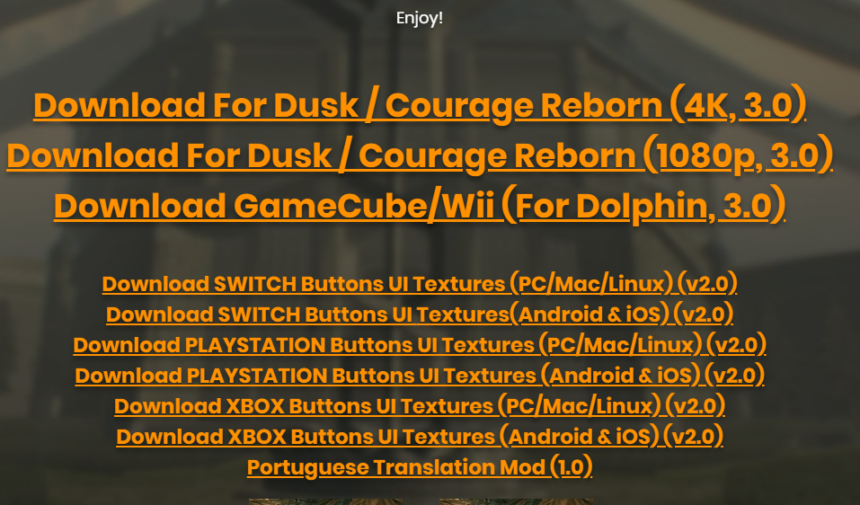
把它解壓縮放進 texture_replacements 的目錄裡即可。含解壓縮產生的目錄。
八:結語。
我自已的 PC 是 i5-4570 12 GB RAM , GT 1050 2GB , 除了播影片時會有卡一下。一般在使用高清 1080P 材質包下是可順玩,穩定 60 fps 。